

Article details
Introduction
Digital information is an essential part of modern life. From saving documents and sharing photos to downloading software and storing large amounts of business data, we use digital files every day. However, files come in different sizes, and understanding these sizes helps us manage storage space more effectively.
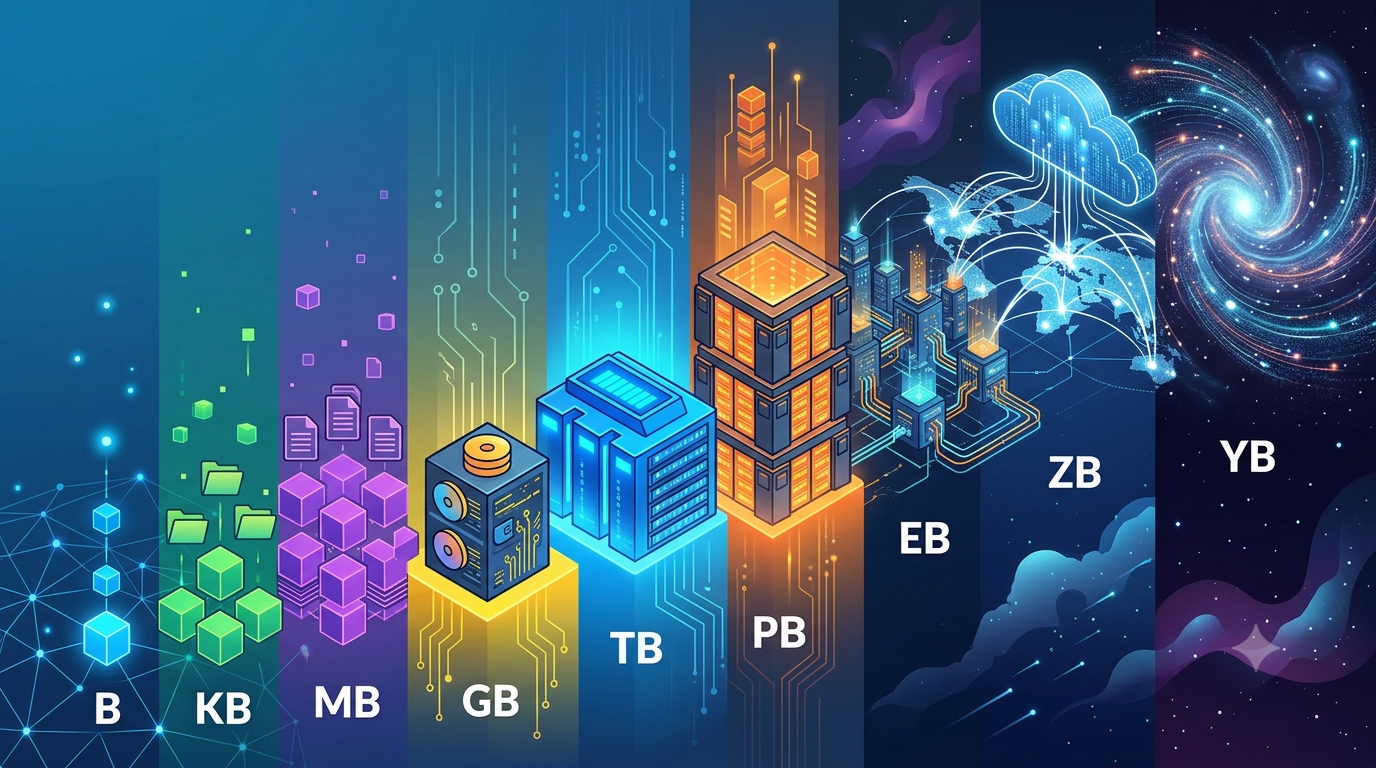
File sizes are measured using units such as bytes, kilobytes (KB), megabytes (MB), gigabytes (GB), and terabytes (TB). Larger units, including petabytes (PB), exabytes (EB), zettabytes (ZB), and yottabytes (YB), are used to describe enormous amounts of digital information.
Understanding these units is useful for students, engineers, IT professionals, software developers, and anyone who works with computers or digital devices.
What Is a File Size?
File size refers to the amount of digital storage space occupied by a file. It depends on the quantity of information contained in the file and how that information is represented or compressed.
For example, a simple text document usually occupies less storage space than a high-resolution photograph. A short audio recording may be smaller than a long video because video files contain both visual and audio information.
File sizes are commonly displayed when downloading files, checking storage capacity, transferring data, or managing computer systems. Knowing how these measurements work makes it easier to estimate storage requirements and select suitable devices.
What Is a Bit and a Byte?
Before exploring file-size units, it is important to understand two basic units of digital information: bits and bytes.
Bit
A bit is the smallest basic unit of digital information. It can represent one of two values: 0 or 1. Computers use combinations of these binary values to process, store, and transmit information.
Bits are commonly used to describe data transmission speeds, such as internet connection speeds measured in bits per second (bps).
Byte
A byte is a unit consisting of eight bits. It is commonly used as the basic unit for measuring file sizes and storage capacity.
A byte can represent different types of information, including a character in many text-encoding systems. However, the exact amount of information represented by a byte depends on how the data is encoded.
For example, a simple text file containing a few characters may require only a small number of bytes, while a large software application can require millions or billions of bytes.
Understanding Different File-Size Units
Digital storage units increase in size from bytes to kilobytes, megabytes, gigabytes, and beyond. Each unit represents a larger quantity of information.
1. Kilobyte (KB)
A kilobyte is a small unit of digital information commonly used to measure simple text files, small images, and lightweight documents.
In the decimal system, one kilobyte equals 1,000 bytes. In the binary system, one kibibyte (KiB) equals 1,024 bytes.
For example, a basic text document or a small icon may occupy a few kilobytes of storage space.
2. Megabyte (MB)
A megabyte is larger than a kilobyte and is commonly used to measure photographs, music files, PDFs, and small applications.
One megabyte equals 1,000,000 bytes in the decimal system. A mebibyte (MiB), its binary counterpart, equals 1,048,576 bytes.
For example, a compressed photograph might occupy several megabytes, depending on its resolution, format, and compression level.
3. Gigabyte (GB)
A gigabyte is widely used to describe the storage capacity of smartphones, computers, memory cards, and USB drives.
One gigabyte equals 1 billion bytes in the decimal system. Its binary counterpart, the gibibyte (GiB), equals 1,073,741,824 bytes.
For example, a smartphone with 128 GB of storage can hold applications, photographs, videos, documents, and other files. The actual number of files it can store depends on their individual sizes and the space used by the operating system.
4. Terabyte (TB)
A terabyte is a large storage unit used for external hard drives, solid-state drives, backup systems, and data storage infrastructure.
One terabyte equals 1 trillion bytes in the decimal system. One tebibyte (TiB) equals \(2^{40}\) bytes.
Terabytes are particularly useful when storing large video collections, engineering project files, databases, and extensive backup archives.
For example, a 2 TB external drive can store large quantities of documents, images, videos, and technical files.
5. Petabyte (PB)
A petabyte represents an enormous quantity of digital information. It is generally associated with enterprise storage systems, research institutions, cloud platforms, and large data centres.
One petabyte equals 1,000 terabytes in the decimal system.
Petabytes are useful for describing extensive datasets, scientific research information, business records, and large-scale digital archives.
For example, an organisation managing data from millions of users may require petabytes of storage to maintain records, backups, and analytical information.
6. Exabyte (EB)
An exabyte is significantly larger than a petabyte and is mainly used to describe extremely large collections of digital information.
One exabyte equals 1,000 petabytes in the decimal system.
Exabytes are relevant to global internet traffic, large cloud computing environments, telecommunications networks, and worldwide data storage systems.
Because an exabyte represents an enormous amount of information, it is rarely used to describe the capacity of an individual storage device.
7. Zettabyte (ZB)
A zettabyte is an exceptionally large unit of digital information used when discussing data on a global scale.
One zettabyte equals 1,000 exabytes in the decimal system.
This unit is useful for describing worldwide digital data generation, large-scale internet activity, and the combined information handled by major technology infrastructures.
As connected devices, cloud applications, online platforms, and digital services continue to expand, zettabytes provide a useful scale for discussing global data volumes.
8. Yottabyte (YB)
A yottabyte is an extremely large unit of digital information. It represents one of the largest units in the established SI decimal-prefix sequence used for data measurement.
One yottabyte equals 1,000 zettabytes, or \(10^{24}\) bytes.
Yottabytes are primarily useful in theoretical discussions and projections involving exceptionally large quantities of data. They help explain how storage measurements can scale far beyond the capacities of individual computers and conventional storage systems.
File-Size Conversion Table
The following table summarises the decimal relationships between common data storage units.
Unit | Abbreviation | Equivalent in bytes |
|---|---|---|
Byte | B | 1 |
Kilobyte | KB | 1,000 |
Megabyte | MB | 1,000,000 |
Gigabyte | GB | 1,000,000,000 |
Terabyte | TB | 1,000,000,000,000 |
Petabyte | PB | \(10^{15}\) |
Exabyte | EB | \(10^{18}\) |
Zettabyte | ZB | \(10^{21}\) |
Yottabyte | YB | \(10^{24}\) |
Note: These values use decimal measurements. Binary measurements use powers of 1,024 and the corresponding units KiB, MiB, GiB, TiB, PiB, EiB, ZiB, and YiB.
Decimal vs Binary Storage Units
One common source of confusion in computing is the difference between decimal and binary measurements.
The decimal system uses powers of 1,000, while the binary system uses powers of 1,024. This difference exists because computers operate using binary data, while standard SI prefixes represent multiples of 1,000.
For example:
1 KB = 1,000 bytes.
1 KiB = 1,024 bytes.
1 MB = 1,000,000 bytes.
1 MiB = 1,048,576 bytes.
1 GB = 1,000,000,000 bytes.
1 GiB = 1,073,741,824 bytes.
The difference becomes more noticeable with larger storage units. A drive advertised as 1 TB provides 1 trillion bytes using the decimal definition, which is approximately 931 GiB when expressed in binary units.
This distinction helps explain why the capacity displayed by an operating system may differ from the advertised capacity of a storage device.
File Size vs Data Transfer Speed
File size and data transfer speed are related, but they measure different things.
File size describes how much information a file contains. It is measured in bytes and their multiples.
Data transfer speed describes how quickly information moves between devices or across a network. It is commonly measured in bits per second (bps), kilobits per second (kbps), or megabits per second (Mbps).
For example, a 100 MB file transferred over a connection delivering 10 MB/s would take approximately 10 seconds under ideal conditions.
However, actual transfer time may be longer because of network congestion, device performance, protocol overhead, and other factors.
It is also important to distinguish between MB/s and Mbps. Since one byte contains eight bits, 1 MB/s corresponds to 8 Mbps when both use the same decimal convention.
Why Is Understanding File Size Important?
Knowing file-size units helps users make better decisions when working with digital devices and information systems.
Storage management: Estimate how much space documents, photographs, videos, and applications require.
Device selection: Choose suitable storage capacities for computers, smartphones, memory cards, and external drives.
File transfers: Estimate download times and identify whether a network connection meets practical requirements.
Data backup: Plan sufficient storage for important business files, engineering projects, and personal records.
Cloud computing: Understand storage requirements when managing databases, applications, and large datasets.
Engineering and IT work: Interpret technical specifications, manage project data, and communicate storage requirements accurately.
Conclusion
File-size units provide a standard way to measure digital information, from small text documents to enormous global datasets. Bytes form the foundation, while kilobytes, megabytes, gigabytes, and terabytes describe increasingly larger quantities of data. Petabytes, exabytes, zettabytes, and yottabytes extend these measurements to large-scale computing and digital infrastructure.
Understanding the difference between decimal and binary units, as well as file size and transfer speed, makes it easier to manage storage, compare devices, and work efficiently with digital information.
As data continues to grow across industries, a clear understanding of these units remains an important foundation for computer literacy, engineering, and information technology.
