
Work with HEXSPUR FOUNDATION
$ 50 / Hr
Courses
Courses HEXSPUR FOUNDATION has authored or contributed to.


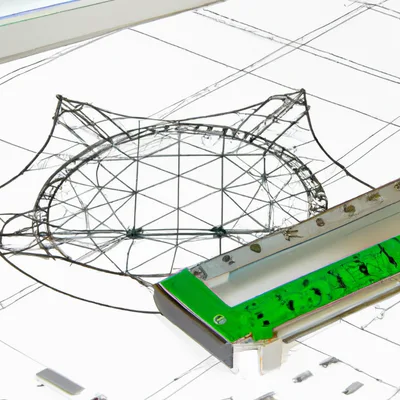
 2 Hrs
2 Hrs 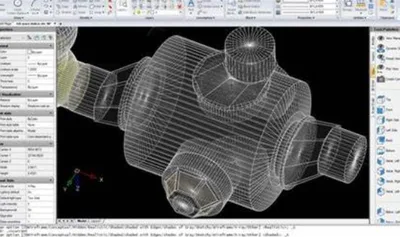
Articles
Articles HEXSPUR FOUNDATION has authored or contributed to.

Total Experience
15 Years
Current Company / College
Hexspur Design
City
Gujrat
Country
India
Professional Experience
Design Engineer - Senior Design Engineer
Professional Career Summary
The
Reviews
Feedback from participants who've learned with HEXSPUR FOUNDATION.
Kept catching myself jotting notes I’d actually reuse during reviews, not just passively watching. The tolerances stack‑up section with the shaft/bearing example stuck; walking through worst‑case math before CAD felt like a PR checklist for arch decisions, and it maps cleanly to how infra mistakes show up later in prod. I’ve got a small gripe: the fastener preload bit was quick, and I wasn’t sold on skipping fatigue beyond a slide. Still, it’s the kind of grounding that saves a couple bad nights chasing failures later, don’t doubt it.

roberth mejias
Mechanical design
Quality felt consistent across the modules, which helped when bouncing between basics and applied bits. As a software engineer, I liked the bridge from legacy shop practices to modern arch thinking; the tolerances chapter walking through an H7/g6 shaft‑bearing fit stuck, since it mapped cleanly to how I reason about interfaces in prod. it's mostly clear, though I wasn't sold on the fasteners section pacing and wished there was a bit more on fatigue. Finished with design notes sketched out like a PR plan, ready to clean up a few old assumptions.

Suneel yadav
Energy engineer
Was hunting for ways to tighten our workflow and fill some mech gaps before handoff to manufacturing. The fits & tolerances chapter stuck, especially the shaft‑bushing example where they walk ISO H7/g6 and show what breaks when you guess; that clicked fast. As a BootcampGrad, I mapped it to how we think about arch and infra in prod—assumptions propagate, same as a sloppy repo or CI config. Mostly good, though I wasn't sold on the skim of fatigue; still, it’ll nudge how I frame my next PR.

Soumen Metya
Student
The tolerance stack-up example in Chapter 3, it's where he walks through shaft/bearing fits, stuck; translating ±0.05 mm into assembly risk felt like prod failures. It's mostly clear for beginners, but I wasn't sold on the CAD screencast pace and wished there was more on materials tradeoffs beyond steel vs aluminum.

Muhammad Yaseen
Undergraduate student/Mechanical Engineer/Formula electric racing-NUST/vehicle dynamics engineer
Good pacing for a beginner; the 'Tolerance Stack-Up' chapter with the washer-shaft example clicked, especially the quick calc showing worst-case vs RSS—helped tie theory to shop-floor obs. I wasn't sold on the CAD screenshots (felt dated), but the stress–strain curve walkthrough and safety factor math are things I've used to sanity-check an arch decision.

MD SAHIN IMTIAZ
Engineer
A lot of what's covered isn't in the usual manuals, and it reads like shop-floor notes rather than a glossy overview. The section on tolerance stack-up in Chapter 4, especially the shaft-and-bushing example with worst-case vs RSS, stuck because it forced actual numbers instead of vibes. it maps cleanly to how I'd think about arch in prod—small assumptions compounding, like a sloppy PR slipping past CI. Mostly good, though I wasn't sold on the thin treatment of fastener fatigue; still, I've gone back twice to re-read that chapter when sanity-checking designs.

Pradeep Beserwal
Manager
The way abstractions were broken down made IntelliCAD less opaque, especially mapping sketches to constraints. In Chapter 4’s GD&T segment, the position tolerance example using a datum reference frame clicked—seeing the feature control frame applied to the plate drawing stuck. As a grad entrant, I’ve already mirrored that flow in a small repo and sent a PR with annotated drawings; mostly smooth, though I wasn't sold on the brief treatment of profile tolerance. Net effect: time well spent between meetings, with takeaways I can use right away.

Arun V
Engineer
No fluff on the tougher bits; the course moves straight into CMS IntelliCAD basics without theatrics. The GD&T chapter where true position is applied to a 4-hole bolt pattern stuck, especially the tolerance frame walkthrough. From a team standpoint, it helps tighten our drawing PRs and arch consistency before anything hits prod. I wasn't sold on the brief blocks/layers section—wished there was more on standards for automotive prints, but it's made me a bit sharper heading into the next review.

Sufyan Zeeshan
Student
Picked this up to sanity-check how our team’s been doing CAD and tolerancing between legacy drawings and newer workflows. The GD&T chapter on positional tolerance for a slotted automotive bracket, especially the MMC callout, stuck because it mirrored issues we see when files move through a repo and get reviewed like a PR. It's aligned with beginner needs, though I wasn't sold on the IntelliCAD blocks section and wished for more on handoff to prod and arch. still, I’m quicker pushing back in reviews since I can point to why a tolerance callout holds up.

Piyush gopalani
Student
Grabbed this to tighten up how the team reads drawings and avoids churn between design and shop, not to become a CAD power user. The beginner pacing mostly worked, and it maps decently to how juniors onboard, with IntelliCAD basics before GD&T so PRs don’t stall on notation questions. The section on feature control frames, specifically the MMC vs LMC slot-and-pin example in the GD&T module, stuck because it mirrors the tolerance fights we see on automotive brackets. I wasn't sold on the early UI tour lingering so long; a quicker pass would free time for more composite tolerances or datum selection tradeoffs. It's practical enough to set a shared baseline, and I’ve already pointed a new hire at the layer states exercise to keep drawings consistent across the repo. cost-wise it’s reasonable for training hours, and it reduces back-and-forth that eats team time.

Gce Mech
Engineer
Our group’s been circling the same drawing standards for weeks, so this beginner course landed at the right moment. The IntelliCAD walkthrough clicked once it hit Chapter 3’s constraint example, especially the bit locking a rectangle before dimensioning; that’s close to what I’m doing in prod drawings. gd&t finally stopped feeling abstract after the true position callout with datums A|B|C, though I wasn’t sold on the quick skim of profile tolerance. It didn’t feel like a drain for the team between meetings.

MOHANAPRIYA N
Mechanical engineer
The IntelliCAD Blocks section where you build a parametric title block stuck; seeing constraints update dims in real time clarified basic workflows. It's mostly beginner-friendly, but I wasn't sold on the GD&T Chapter 4 tolerance stack-up example—wished there was more on datum selection before feature control frames.

Amruth Malovath
Engineer
Grabbed this mainly to get a baseline for the team before tossing them into CAD work tied to our automotive fixtures. The Basics of SolidWorks pace fits a beginner, and the section in Lesson 3 where sketch relations flip from blue to black finally gave a shared language for design intent during PR reviews. It’s practical enough that folks could follow along between meetings and still push something usable to the repo by end of day. I wasn’t sold on the quick pass over mates; a bit more on troubleshooting over‑defined assemblies would’ve saved a few Slack pings. Cost-wise it’s fine for onboarding, especially if you don’t want senior engineers burning cycles re‑explaining extrude vs cut or fillet order. not a magic fix, but it works as a reference when someone’s stuck and just needs the basics lined up before touching real parts in prod.

Jyothi Chodisetti
Student
Good grounding on the Sketch Constraints chapter; the moment where the rectangle flips from blue to black after adding coincident and horizontal relations stuck, and it maps to how errors show up later in FeatureManager. mostly works for beginners, but I wasn't sold on how fast it skims mates and basic assemblies; a bit more on rebuild errors would've helped.

Amolkumar Lonare
Manager
Between client calls, this clicked a few things about CAD performance I hadn't named. The SolidWorks Large Assembly Settings demo, watching rebuild time drop after suppressing mates and flipping graphics options, stuck; I’ve already mirrored that in a client repo before pushing a PR. The GD&T chapter walking datums A/B/C on the bracket drawing was practical for prod drawings, though I wasn't sold on the pace early on. still, I’m quicker making arch calls now, especially when tradeoffs hit CI deadlines.

Module 4 on surfacing dragged a bit, and the labs assume your SolidWorks add‑ins are already dialed in. Came in trying to tighten our drawing workflow between design and prod. The pacing elsewhere worked. The GD&T section where flatness vs profile gets compared on the stamped bracket example stuck, especially the inspection note callouts. That’s stuff I’ve tripped over in automotive parts reviews. Also liked the configs table demo in Chapter 6; showed how to keep variants sane without wrecking the arch. Not fluff, not hype—just practical gaps filled. I've already tweaked our prod drawings and PR checklist, and I know which parts of our service to revisit now.

ANAMIKA GOSWAMI
Mechanical Engineering Undergrad
Jumped between beginner and advanced, but the GD&T section on position tolerance with MMC in Chapter 7 stuck—seeing the hole pattern stack-up tied back to a SolidWorks drawing felt close to a real PR review. wished there wasn't more on surfacing workflows and how these drawings age in prod.

Carlos Roy
Student
Picked this up to sharpen system design judgment for a mech-heavy team, not to relearn basics. the tolerance stack-up chapter, specifically the gearbox shim example in Section 7.2, stuck because it tied CAD decisions to prod yield and rework cost. It's mostly practical, though I wasn't sold on the brief FEA mesh-density aside and wished there was more on design for vibration in aerospace contexts. I've already used the checklists to frame arch reviews, and the material makes a gnarly space feel manageable without overpromising.
Carlos Roy
Student
The tolerance stack-up example in Chapter 3, it's where he walks through shaft/bearing fits, stuck; translating ±0.05 mm into assembly risk felt like prod failures. It's mostly clear for beginners, but I wasn't sold on the CAD screencast pace and wished there was more on materials tradeoffs beyond steel vs aluminum.

Tushar Bagade
Student
Good pacing for a beginner; the 'Tolerance Stack-Up' chapter with the washer-shaft example clicked, especially the quick calc showing worst-case vs RSS—helped tie theory to shop-floor obs. I wasn't sold on the CAD screenshots (felt dated), but the stress–strain curve walkthrough and safety factor math are things I've used to sanity-check an arch decision.

AALOK SHARMA
Director- Business Development - AAAS Industries / Sheet Metal/ Project Management
Covers fundamentals without fluff; the tolerances-and-fits chapter using the shaft/hole ISO H7/g6 example stuck. As an engineer, mapping that to arch decisions and PR reviews makes sense, though I wasn't sold on the stress section stopping before fatigue and safety factors; wished there was more on that.
Deepak PD
Engineer
From a team lead seat, the tolerancing section with the shaft-bearing fit example stuck; it's practical for reviews where arch decisions bleed into fab notes and PRs don't catch it. Mostly good for beginners, though I wasn't sold on the materials chapter—wished there was more on fatigue calcs before handing juniors prod drawings.

Bruno Mendel Savadogo
Student
The decision-tree framing behind fastener selection and load paths pulled me in early; it mirrors how I reason about arch tradeoffs in prod. The tolerance stack-up section, especially the worked example in Chapter 4 with the shaft-hub fit and GD&T callouts, stuck; seeing the branches spelled out beats hand-wavy rules. Some bits drift beginner-slow, and I wasn't sold on the long materials primer—wished for more on fatigue vs RPS-style duty cycles. Still, the parallel workflow discussion around design reviews vs CI-style checks felt unusually tight.

Selva P
Student / Mechanical Engineer / Mechanical design Engineer / Design engineer
The course moves past toy examples quickly and doesn't linger in beginner land, focusing on choices you'd actually make on the job. The GD&T tolerance stack-up in the “Shaft and Hub Fits” section, where a 0.02 mm tweak flipped clearance to interference, stuck. I wasn't sold on the CAD primer; it's fine, but I wished there was more on fatigue and failure modes. I've already applied a couple patterns by adding a fastener selection checklist to our repo and pointing to it in a PR that shipped to prod this week.

ABHISHEK PATALE
Piping engineer
How You're Connected
See the shortest path between you and HEXSPUR FOUNDATION through the EveryEng network.
No connection path found to this engineer.
Engineering breadth
HEXSPUR FOUNDATION has demonstrated 2 skills across 2 engineering domains on EveryEng. Each ring shows how much of that domain's skill taxonomy HEXSPUR covers — expand a domain to see specific skills and proficiency levels.