
Skip to main contentEngineering Courses, Mentoring & Jobs | EveryEng
Primavera P6 Complete Project banner
Preview this course
Primavera P6 Complete Project banner
Preview this course
Self-paced Advanced

Primavera P6 Complete Project

2 enrolled
Course type
Watch to learn anytime
Duration
101 min
Start
Anytime
Language
English
  • Lifetime access
  • Anytime Learning
  • Learn from Industry Expert
  • Career Option Guideline
FREE
LearnEng Team
LearnEng Team

Why enroll

Participants join this course to develop practical skills in project planning, scheduling, and monitoring using Primavera P6. It helps civil engineers, project engineers, planning engineers, and construction professionals learn how to organize project activities, manage resources, and track progress efficiently. The course also supports professionals who want to improve their project management capabilities and strengthen their career opportunities in the construction and engineering sectors.

Course details

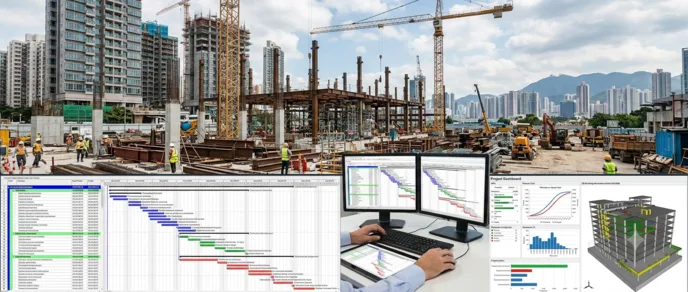
This course provides practical training on Primavera P6, a widely used project planning and management software in the construction and engineering industries. Participants will learn how to install and configure Primavera P6 and create new projects with the required initial settings. The course covers project setup, currency configuration, and Work Breakdown Structure (WBS) development. Participants will learn how to create and organize project activities, define activity durations, and prepare project calendars. It also explains how to establish relationships between activities to develop a logical project schedule. The training includes importing and exporting project files and defining units of measurement. Participants will learn how to create resources and assign them to project activities. The course also covers project progress updates and schedule monitoring. By the end of the course, participants will be able to perform essential project planning and scheduling tasks using Primavera P6.

Course suitable for

Is this course for you?

Perfect for

  • You work in Infrastructure & Construction
  • You're a Project & Programme Management / Civil & Structural professional
  • You have 3+ years of hands-on experience in this field
  • You prefer self-paced learning you can revisit

Before you enrol

  • Advanced level — assumes working knowledge of Project & Programme Management
  • Self-paced video, 101 min — watch anytime
New to Project & Programme Management? Browse beginner courses →

Ready for the next step?

Paid courses that build on what this one teaches.

Course curriculum

The course is readily available, allowing learners to start and complete it at their own pace.

13 lectures1 hr 41 min
  1. Installation of Primavera P6
    8 min
  2. How to set Initial setting For New project in Primavera Urdu Classes
    8 min
  3. How to add new project in primavera in Urdu Aug 2019
    4 min
  4. How to add New Currency in primavera For New project.
    2 min
  5. How to Add WBS Work breakdown Structure in Primavera P6
    9 min
  6. ADD Duration and arrange your activities in p6 | Primavera p6 Complete Project
    6 min
  7. How to Create New Calendar for your new Project |Primavera p6 Tutorial | Class 07 |
    10 min
  8. How To Link Activities in Primavera P6 | Class 08 |
    8 min
  9. How to import & Export your Project file in Primavera P6
    5 min
  10. How To Add Unit of measurement in primavera p6 | Class 10 |
    3 min
  11. Define or Add new Resources to your activities | Complete Project | Primavera P6 | Class 11 |
    20 min
  12. How to Assign Resources to your activities in Primavera p6 | Class 12 |
    12 min
  13. How to Update Progress in Primavera p6 | Complete Project | Class 13 |
    6 min

Key topics covered

  • Installation of Primavera P6

  • Initial Settings for a New Project

  • Creating a New Project in Primavera P6

  • Adding New Currency for a Project

  • Creating Work Breakdown Structure (WBS)

  • Adding Activity Durations and Arranging Activities

  • Creating a New Project Calendar

  • Linking Activities and Defining Relationships

  • Importing and Exporting Project Files

  • Adding Units of Measurement

  • Defining and Creating Project Resources

  • Assigning Resources to Project Activities

  • Updating Project Progress in Primavera P6

Opportunities that await you!

Career opportunities

✎ Where this fits — what comes before, what comes next

Frequently asked questions

Empty state icon

No questions yet - Be the first one to ask!

FREE

Access anytime

What learners say about this course

Industry-aligned courses, expert training, hands-on learning, recognized certifications, and job opportunities-all in a flexible and supportive environment.

Put no limit on your engineering passion.

We would love to hear from you.

Engineers collaborating around a laptop