Skip to main contentEngineering Courses, Mentoring & Jobs | EveryEng
Analyse Composite Materials using ANSYS banner

Analyse Composite Materials using ANSYS

+1 enrollmentsin the last 30 days
+66.7% vs prior 150-day average

19 enrolled

Analyse Composite Materials using ANSYS banner
Self-paced Beginner

Analyse Composite Materials using ANSYS

4(1419)
19 enrolled
1987 views
FREE
8 min
Anytime
English
Team EveryEng
Team EveryEngMechanical Engineering
  • Lifetime access
  • Certificate of completion
  • Foundational Learning
  • Access to Study Materials
Volume pricing for groups of 5+

Why enroll

Participants join this course to gain practical, industry-relevant skills in analyzing advanced composite materials using ANSYS. Many engineers and students are eager to understand how lightweight, high-strength materials behave under real-world conditions, especially in industries like aerospace and automotive. This course helps them build confidence in modeling and simulation, enabling them to predict performance, improve designs, and reduce failure risks. It is also valuable for those looking to enhance their career opportunities by adding in-demand CAE and simulation skills to their profile, making them more competitive in the job market.

Is this course for you?

You should take this if

  • You work in Aerospace
  • You're a Mechanical professional
  • You prefer self-paced learning you can revisit

You should skip if

  • You need a different specialisation outside Mechanical
  • You need live interaction with an instructor

Course details

This course is designed to equip participants with the knowledge and skills to effectively analyze composite materials using ANSYS software. Composite materials, consisting of two or more distinct constituents with different properties, are widely used in aerospace, automotive, marine, and civil engineering applications due to their lightweight, high strength-to-weight ratio, and tailored properties. By mastering the fundamentals of composite material analysis, participants will learn how to model, simulate, and analyze the behavior of composite structures under various loading conditions using ANSYS Mechanical.

Course suitable for

Key topics covered

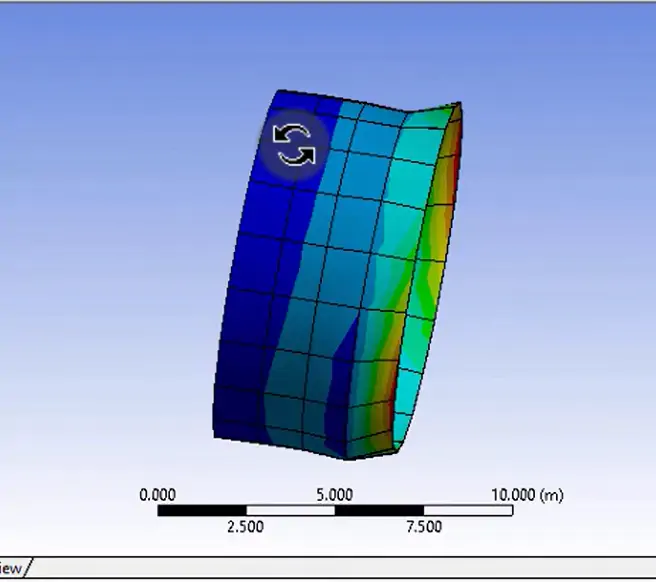
  • Learn to create and simulate the composite tube in ANSYS.

Course content

The course is readily available, allowing learners to start and complete it at their own pace.

1 lectures8 min

Opportunities that await you!

Skills & tools you'll gain

ANSYS

Career opportunities

+1 enrollmentsin the last 30 days
+66.7% vs prior 150-day average

Our Alumni Work At

Why people choose EveryEng

Industry-aligned courses, expert training, hands-on learning, recognized certifications, and job opportunities-all in a flexible and supportive environment.

What learners say about this course

Aryan Raj Pandey
Aryan Raj Pandey Social Media Manager
Feb 25, 2026

At first glance, the topics looked familiar, but the depth surprised me. The course isn’t about engineering theory, yet it solved a real workflow problem I kept running into at work. Uploading technical material sounds trivial until you’re dealing with mixed content like an automotive CAN bus overview and a household appliance teardown on motor control. The demo showed exactly how to structure courses versus articles, and where seminars fit, which cleared up a gap I had around categorization. One challenge during my first try was getting the formatting right so diagrams and code snippets didn’t break on the site. The course walked through that process step by step, including image sizing and basic metadata, which saved me time. Another useful part was understanding how tags affect discoverability; that’s something I hadn’t paid attention to before. The biggest practical takeaway was a simple upload checklist that I now follow before publishing anything. It’s already helped me push internal training content faster without rework. Overall, it felt grounded in real engineering practice.

Kishore Babu.M
Kishore Babu.M Fresher
Jan 21, 2026

It. Was so good we'll use for beginners

viren prajapati
viren prajapati piping stress engineer
Jan 19, 2026

.

christopher sathiya
christopher sathiya
Feb 25, 2026

Coming into this course, I had some prior exposure to the subject. From a senior engineer’s standpoint, the material sits at a beginner level, but it still covered fundamentals that show up in real work. The treatment of the 1D heat equation mapped well to automotive thermal problems like brake rotor cooling and battery thermal management. Similar discretization issues come up in aerospace when approximating diffusion terms in preliminary CFD for wing or avionics bay heat transfer. One challenge was keeping the stability criteria straight, especially around time-step selection and CFL-like limits. That’s an area where simplified examples can hide edge cases; in production codes, violating those limits can quietly corrupt results rather than blow up. Boundary condition handling was another spot where small implementation choices had outsized effects, which mirrors what happens in industry solvers. Compared with commercial tools, the Python implementations are obviously stripped down, but that’s also the point. A practical takeaway was learning how grid spacing and time-step choices interact, and how to sanity-check results before trusting a contour plot. At a system level, that discipline matters when these models feed larger vehicle or aircraft simulations. The content felt aligned with practical engineering demands.

FREE

Access anytime

Questions and Answers

Q: You're reviewing a laminate drawing and ANSYS setup side by side, searching "ANSYS composite layup orientation sign convention drawing mismatch". The drawing shows [0/90/+45/-45]s with a note "angles measured from aircraft X-axis". The ANSYS ACP model uses the global X-axis but the ply table lists +45 before -45. What action keeps you inside certification expectations today?

A: The boundary is the reference axis, not symmetry. Symmetric stacks cancel bending-extension coupling, but sign errors still flip shear coupling if the angle reference is wrong. Without instrument datasheets, axis intent is all you have. You confirm whether the drawing's X-axis matches ANSYS global X before touching ply order.