<link href="https://fonts.googleapis.com/css2?family=Caveat:wght@500;700&family=JetBrains+Mono:wght@400;500;600&display=swap" rel="stylesheet" /> Skip to main contentEngineering Courses, Mentoring & Jobs | EveryEng
Design A Bike Frame In SolidWorks banner

Design A Bike Frame In SolidWorks

Design A Bike Frame In SolidWorks banner
Self-paced Beginner

Design A Bike Frame In SolidWorks

4(1580)
7 enrolled
613 views
FREE
40 min
Anytime
English
613 views
Team EveryEng
Team EveryEngMechanical Engineering
  • Lifetime access
  • Certificate of completion
  • Foundational Learning
  • Access to Study Materials
Volume pricing for groups of 5+

Why enroll

This course is suitable for mechanical engineers, product designers, and cycling enthusiasts looking to enhance their skills in bike frame design using SolidWorks. Basic proficiency in SolidWorks is recommended but not required. By the end of the course, participants will have the knowledge and proficiency to confidently design, simulate, and prototype bike frames that meet performance standards while aligning with aesthetic and ergonomic requirements.

Is this course for you?

You should take this if

  • You work in Aerospace or Automotive
  • You're a Mechanical Engineering professional
  • You prefer self-paced learning you can revisit

You should skip if

  • You need a different specialisation outside Mechanical Engineering
  • You need live interaction with an instructor

Course details

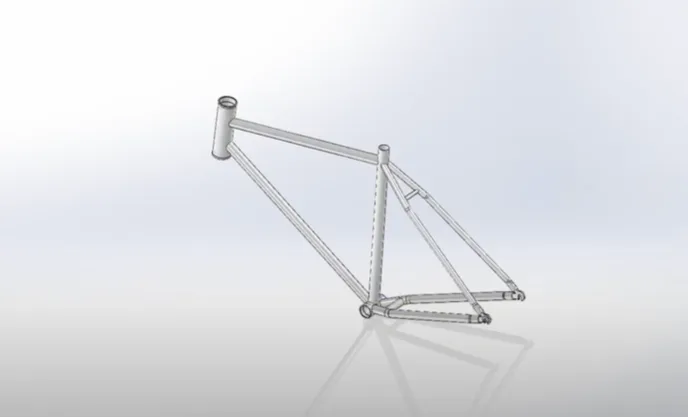
This course provides a comprehensive introduction to designing a bike frame using SolidWorks, one of the most widely used CAD software tools in engineering and product design. Participants will learn the fundamentals of 3D modeling, sketching, and assembly techniques required to create a complete bicycle frame from scratch. The course covers key design considerations such as frame geometry, material selection, strength, and ergonomics to ensure both performance and safety. Learners will explore how to create individual components like tubes, joints, and supports, and assemble them into a fully functional frame. Emphasis is placed on parametric design, allowing easy modification and optimization of the model. Participants will also gain hands-on experience in applying simulations to analyze stress and structural integrity. The course introduces best practices for design validation and real-world manufacturing considerations. By the end of the course, learners will be able to confidently design, modify, and present professional-quality bike frame models. This course is ideal for mechanical engineering students, product designers, and cycling enthusiasts interested in CAD-based design. It builds a strong foundation for advanced design and engineering applications.

Course suitable for

Key topics covered

  • Fundamentals of Bike Frame Design

  • Advanced Modeling Techniques

Course content

The course is readily available, allowing learners to start and complete it at their own pace.

4 lectures40 min

Opportunities that await you!

Skills & tools you'll gain

SolidWorks

Career opportunities

FREE

Access anytime

Questions and Answers

A: Eliminating the crack means removing the localized stress riser that drives initiation even when thickness checks pass. B explains lower margin everywhere, not a repeatable initiation point. C misses the fact that torsion was included per the test report and the crack still localizes. D would shift failure into the weld bead or HAZ, not consistently at the geometric transition.

A: Catching the mass and joint impact early keeps the model aligned with as-built risk. B ignores the OD term in section properties and mass. C assumes stiffness scales cleanly, which it doesn't at welded nodes. D treats geometry as cosmetic, a classic CAD-only mistake.

A: Locking down datums first prevents chasing phantom stack-ups later. B reverses cause and effect and hides fixture error. C skips basic geometric conformity before destructive tests. D assumes the CAD-to-shop translation is perfect, which field history says it isn't.

A: Catching an unenforceable datum prevents false passes during inspection. B confuses model history with released documentation. C leaves the same ambiguity in a different box. D relies on inspector interpretation, which breaks repeatability.