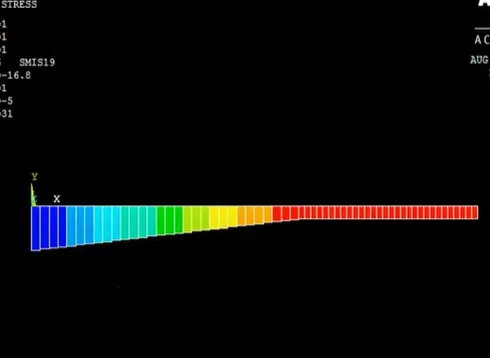
Analysis of Beam (Point load & UDL) using ANSYS APDL
Analysis of Beam (Point load & UDL) using ANSYS APDL

- Lifetime access
- Certificate of completion
- Foundational Learning
- Access to Study Materials
Why enroll
What enrolled engineers say
Coming into this course, I had some prior exposure to the subject, mostly from hand calcs and higher-level FEA tools. What was missing was a clear, ground-up way to translate beam theory into ANSYS APDL without relying on a GUI. This filled that gap pretty well. The walkthrough on point loads versus UDL helped connect classical bending equations to actual solver results. That’s directly relevant to things like wing spars in aerospace structures and ladder-frame or chassis rail checks in automotive projects, where beam assumptions still get used early on. Defining material properties and support conditions explicitly in APDL was useful, especially seeing how small constraint mistakes can skew deflection results. One challenge was getting comfortable with APDL syntax and load application order. A couple of early models gave odd reactions until the boundary conditions were cleaned up. Working through that was actually the most valuable part. The main takeaway is being able to quickly script a beam model to sanity-check deflection and stress before moving to a full 3D model. That’s immediately applicable on real projects with tight timelines. It definitely strengthened my technical clarity.
At first glance, the topics looked familiar, but the depth surprised me. Beam theory under point loads and UDL is something that comes up all the time, yet I hadn’t actually set it up cleanly in ANSYS APDL before. Working through the command-based modeling helped connect the equations I knew with what the solver is really doing. Coming from automotive structures, the beam examples mapped well to ladder frame cross-members and simple chassis brackets. On the aerospace side, the same approach applies directly to preliminary sizing of wing spars and equipment mounts, where quick load checks matter before jumping into full shell models. One challenge was getting the boundary conditions right in APDL; a small mistake in constraints gave completely unrealistic deflections, and debugging that took some trial and error. The most practical takeaway was learning how to parameterize geometry and loads so different cases can be run quickly. That’s already useful for early design trade studies at work, especially when validating hand calculations. The course filled a gap between theory and actual solver implementation. It definitely strengthened my technical clarity.
At first glance, the topics looked familiar, but the depth surprised me. Beam theory under point load and UDL is something most of us touched in school, yet working through it in ANSYS APDL exposed gaps I had, especially around how assumptions translate into a solver. Coming from an automotive background with some aerospace crossover, the examples mapped well to real parts like chassis rails and aircraft wing spars where bending and deflection actually drive design decisions. One challenge was getting comfortable with APDL syntax and load application. Defining keypoints, lines, and then assigning BEAM elements felt clunky at first, and I tripped up on boundary conditions more than once. A small mistake there completely changed the reaction forces, which was a good lesson. A practical takeaway was learning to script a simple beam model and quickly swap between point loads and UDLs to sanity-check hand calculations. That’s already useful on early-stage automotive frame layouts and quick aerospace trade studies before a full 3D model exists. The course filled a knowledge gap between textbook equations and how structural analysis is actually set up in industry tools. Overall, it felt grounded in real engineering practice.
Your instructor
Team EveryEng
Engineer
Mechanical Engineering
Is this course for you?
You should take this if
- You work in Manufacturing & Industrial
- You're a Mechanical Engineering / CAD & Analysis professional
- You prefer self-paced learning you can revisit
You should skip if
- You need a different specialisation outside Mechanical Engineering
- You need live interaction with an instructor
Course details
Course suitable for
Key topics covered
Course content
The course is readily available, allowing learners to start and complete it at their own pace.
- Modelling of beam6 min
- Element table5 min
- Mesh Tool and boundary condition5 min
- Plot Results5 min
Opportunities that await you!
Skills & tools you'll gain
Career opportunities
Why people choose EveryEng
Industry-aligned courses, expert training, hands-on learning, recognized certifications, and job opportunities-all in a flexible and supportive environment.


 Aug 29, 2026