
Preview this course
Self-paced Beginner
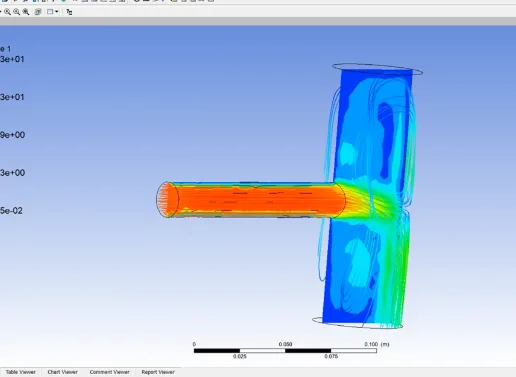
Pipe (Branch) Simulation In ANSYS CFX
4(1593)
5 enrolled
2120 views
$ 3
20 min
Anytime
English
2120 views

Team EveryEngMechanical Engineering
- 7-day money-back guarantee
- Lifetime access
- Foundational Learning
- Access to Study Materials
Why enroll
Your instructor
Team EveryEng
Senior Engineer
Mechanical Engineering
159Courses
73Articles
5.3kLearners
4Avg rating
74Followers
Is this course for you?
You should take this if
- You work in Oil & Gas Upstream or Aerospace
- You're a Chemical & Process / Mechanical Engineering professional
- You prefer self-paced learning you can revisit
You should skip if
- You need a different specialisation outside Chemical & Process
- You need live interaction with an instructor
Course details
Course suitable for
Key topics covered
Course content
The course is readily available, allowing learners to start and complete it at their own pace.
8 lectures20 min
- Create A Geometry In SOLIDWORKS3 min
- Import Geometry In ANSYS2 min
- Create A Mesh In Geometry2 min
- Name Selection In Geomtry2 min
- Boundary Conditions2 min
- Solver Control In Flow Analsysis2 min
- Fluid Flow CFX- CFD POST3 min
- Animation4 min
Why people choose EveryEng
Industry-aligned courses, expert training, hands-on learning, recognized certifications, and job opportunities-all in a flexible and supportive environment.