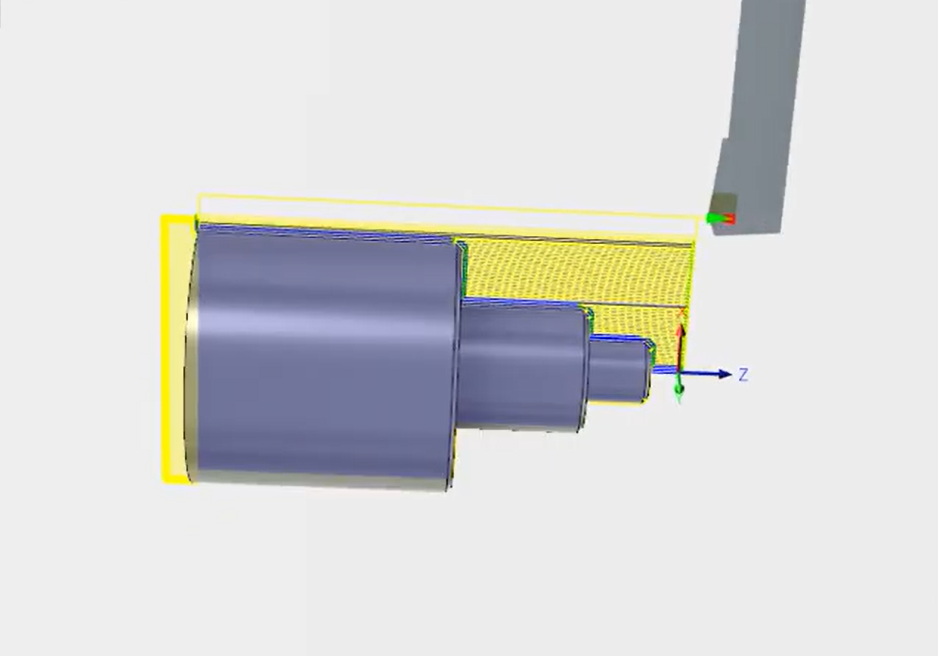
CNC Simulation of Milling, Step Turning, Drilling Operation in Fusion 360

Team EveryEng
Mechanical Engineering
$ 5
Beginner course for learners

Foundational Learning

Access to Study Materials

Self-Paced Learning
CNC Simulation of Milling, Step Turning, Drilling Operation in Fusion 360
Why enroll
Opportunities that awaits you!

Earn a course completion certificate
Add this credential to your LinkedIn profile, resume, or CV. Share it on social media and in your performance review
Career opportunities
Course content
The course is readily available, allowing learners to start and complete it at their own pace.

CNC Simulation of Milling, Step Turning, Drilling Operation in Fusion 360
3 Lectures
18 min
Course details
Course suitable for
Key topics covered
Our Alumni Work At










































































































Why people choose EveryEng
Industry-aligned courses, expert training, hands-on learning, recognized certifications, and job opportunities—all in a flexible and supportive environment.
- Industry Veteran
- Trainer Review
Servilink Systems
EveryEng offers a fantastic learning experience with a great selection of courses and expert mentors. The platform is user-friendly, and the knowledge gained is highly practical. It's been a great journey so far!
Jigna Shukla
Project Management
Baroda, India

Lockwood
The real-world projects gave my team the hands-on experience they needed to stand out to our clients! A special thanks to EveryEng team.

Poonam Dalal
Senior Project Manager
Dallas, USA

Lamprell
EveryEng provides everything an aspiring engineer needs. The courses are relevant, engaging, and easy to follow. It's the best investment an engineer can make in his/her career!

Parth Desai
Offshore Construction Manager
Dubai, UAE

SLB
EveryEng stands out with its exceptional learning materials, expert guidance, and real-world applications. It can truly help to enhance skills and knowledge, making more confident professional.

Rajeev Panda
Project Manager
Pune, India

Subsea7
I was searching for a reliable platform to expand my engineering knowledge, and EveryEng exceeded my expectations. The content and courses are well-structured, informative, and taught by experienced professionals. A great platform for Engineers!

C P Sharma
Principal Engineer
London