Search icon
Search icon

Technical Courses

Soft-Skills Trainings

Seminar & Conferences

Articles & Blogs

Jobs / Hiring

Internship Options

Project Based Freelancing

Communities & Consultation

Product image
Preview this course

Electronic Systems Design: Hands-on Circuits and PCB Design with CAD Software

Engineering Academy

Engineering Academy

Learn Without Limits: Free Engineering Courses

FREE

Product image
Preview this course

Electronic Systems Design: Hands-on Circuits and PCB Design with CAD Software

  • Trainers feedback

    5

    (2 reviews)

    Engineering Academy

    Engineering Academy

    Learn Without Limits: Free Engineering Courses

  • Course type

    Watch to learn anytime

  • Course duration

    1752 Min

  • Course start date & time

    Access anytime

  • Language

    English

Why enroll

Participants join this course to learn how electronic circuits are actually designed and built in practice. It helps them move from theory to real hardware by giving hands-on experience with PCB design and industry-used tools. This course is ideal for anyone who wants practical skills for projects, research, or a career in electronics

Opportunities that awaits you!

Certificate thumbnail

Earn a course completion certificate

Add this credential to your LinkedIn profile, resume, or CV. Share it on social media and in your performance review

Course content

The course is readily available, allowing learners to start and complete it at their own pace.

Video info icon

Electronic Systems Design: Hands-on Circuits and PCB Design with CAD Software

30 Lectures

1752 min

  • Lesson icon

    Intro

    Preview icon

    Preview

    2 min

  • Lesson icon

    Introduction

    68 min

  • Lesson icon

    Passive Circuit Elements : R, L and C

    57 min

  • Lesson icon

    Resistor color coding, Surface mount capacitors and inductors on PCBs

    67 min

  • Lesson icon

    Active Circuit Elements: MOSFET, BJTs

    58 min

  • Lesson icon

    Network Analysis: Kirchoff's Laws

    59 min

  • Lesson icon

    Network Theorems : Thevenin, Norton, Maximum Power Transfer etc

    60 min

  • Lesson icon

    Circuit Simulations using SPICE : Operating point analysis

    66 min

  • Lesson icon

    DC Simulations and Importing Third-Party Models

    56 min

  • Lesson icon

    Small-Signal Simulations, Transient Simulations

    56 min

  • Lesson icon

    PCB Substrate

    60 min

  • Lesson icon

    Interconnect design

    60 min

  • Lesson icon

    CMOS inverter basics

    59 min

  • Lesson icon

    CMOS inverter design

    58 min

  • Lesson icon

    Combinational circuit design : Part 1

    63 min

  • Lesson icon

    Combinational circuit design : Part 2

    60 min

  • Lesson icon

    Dynamic Logic Circuit Design

    60 min

  • Lesson icon

    Sequential Logic Circuit Design

    65 min

  • Lesson icon

    Digital Design : Boolean Algebra

    55 min

  • Lesson icon

    Logic Families, Component Datasheets

    57 min

  • Lesson icon

    TTL / CMOS logic Interfacing Constraints

    55 min

  • Lesson icon

    Hardware Description Languages : VHDL and Verilog

    62 min

  • Lesson icon

    Introduction to Verilog Simulations Software

    62 min

  • Lesson icon

    Combinational Circuit Simulation using iVerilog

    58 min

  • Lesson icon

    Adders, Multiplexer Simulation using iVerilog

    65 min

  • Lesson icon

    High-Speed PCBs

    60 min

  • Lesson icon

    Signal Integrity in PCBs

    61 min

  • Lesson icon

    Signal Cross-Talk, Skews and Jitter in PCBs

    63 min

  • Lesson icon

    KiCad Software Workflow

    68 min

  • Lesson icon

    KiCad Design Modules

    52 min

Course details

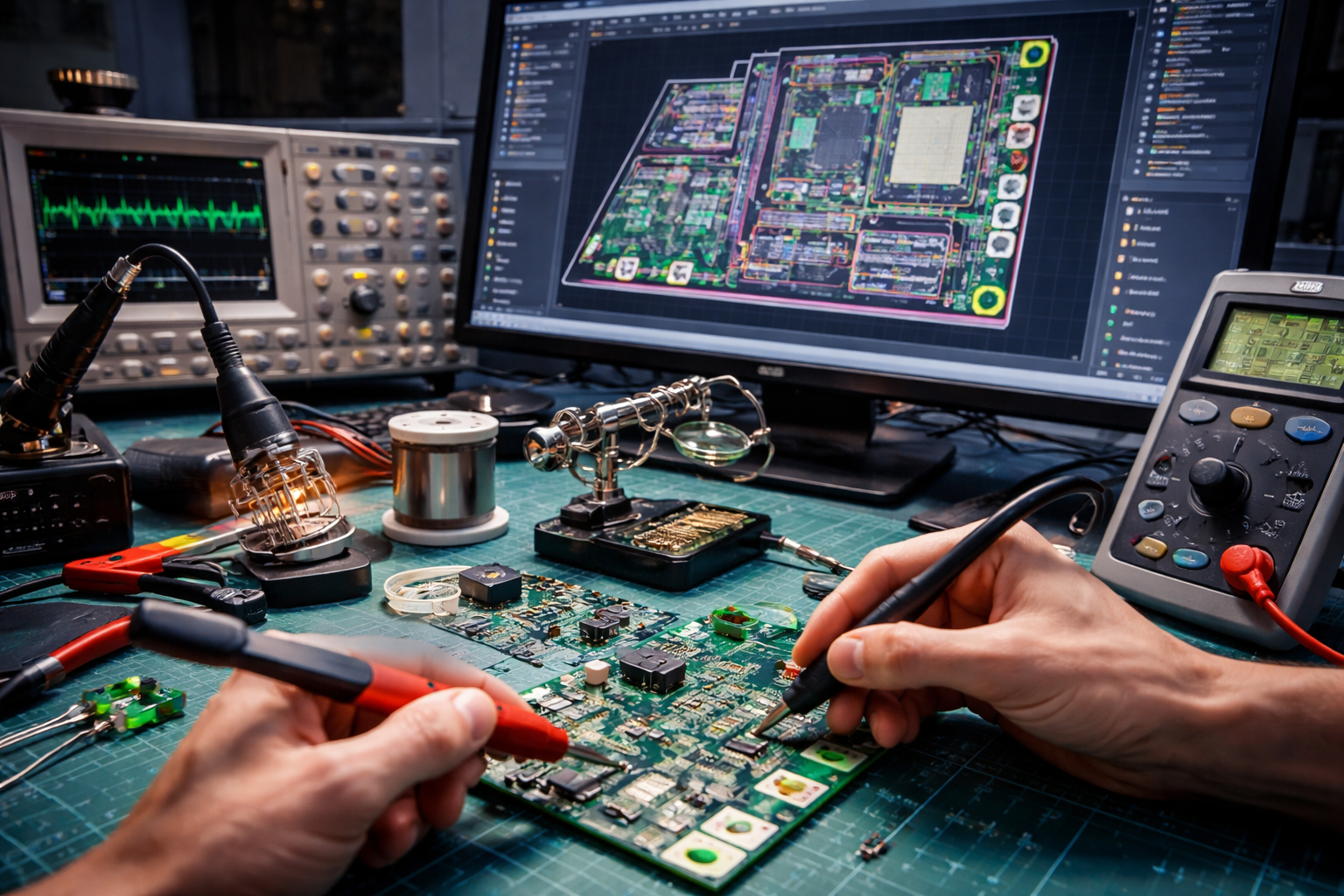
This course focuses on building a strong practical foundation in electronic circuits and printed circuit board (PCB) design. Participants learn the fundamentals of analog and digital circuits and how these circuits are implemented in real hardware. The course covers the complete PCB design flow, starting from schematic entry to PCB layout, routing, and final fabrication files. Learners work hands-on with popular CAD and simulation tools such as CircuitMaker and circuit simulators to design and verify their circuits. Practical sessions include creating PCB footprints, working with through-hole and via connections, and applying proper routing techniques. Participants also learn how to assemble PCBs, solder components, and test circuit functionality. Emphasis is given to real-world design practices, common mistakes, and debugging methods. By the end of the course, learners can confidently design, build, and test functional electronic systems.

Source:
Nptel IIT Delhi [Youtube Channel]

Course suitable for

  • Automotive
  • Electrical
  • Engineering & Design
  • Project Management
  • Research & Developmnet

Key topics covered

  • Intro

  • Passive Circuit Elements: R, L and C

  • Resistor color coding, surface mount capacitors and inductors on PCBs

  • Active Circuit Elements: MOSFET, BJTs

  • Network Analysis: Kirchhoff's Laws

  • Network Theorems: Thevenin, Norton, Maximum Power Transfer, etc.

  • Circuit simulations using SPICE: Operating point analysis

  • DC simulations and importing third-party models

  • Small-signal simulations, transient simulations

  • PCB substrate

  • Interconnect design

  • CMOS inverter basics

  • CMOS inverter design

  • Combinational circuit design: Part 1

  • Combinational circuit design: Part 2

  • Dynamic logic circuit design

  • Sequential logic circuit design

  • Digital design: Boolean algebra

  • Logic families, component datasheets

  • TTL / CMOS logic interfacing constraints

  • Hardware description languages: VHDL and Verilog

  • Introduction to Verilog simulation software

  • Combinational circuit simulation using iVerilog

  • Adders, multiplexer simulation using iVerilog

  • High-speed PCBs

  • Signal integrity in PCBs

  • Signal crosstalk, skews and jitter in PCBs

  • KiCad software workflow

  • KiCad design modules

Why people choose EveryEng

Industry-aligned courses, expert training, hands-on learning, recognized certifications, and job opportunities—all in a flexible and supportive environment.

Engineering Academy

Engineering Academy

Learn Without Limits: Free Engineering Courses

Questions and Answers

Empty state icon

No questions yet - Be the first one to ask!