
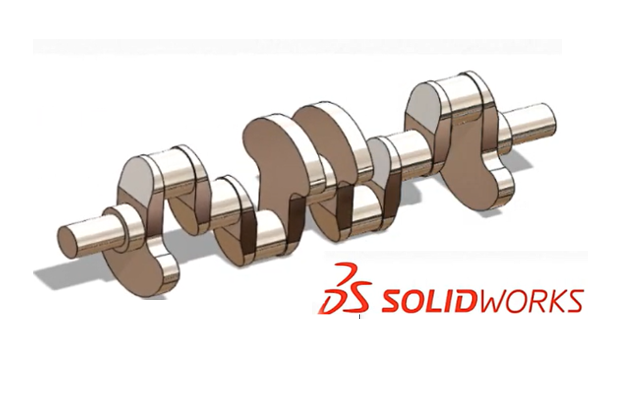
Part Modelling In SOLIDWORKS

Team EveryEng
Mechanical Engineering
$ 20
Beginner course for learners

Foundational Learning

Access to Study Materials

Self-Paced Learning
Part Modelling In SOLIDWORKS
Trainers feedback
Team EveryEng
Mechanical Engineering
Course type
Watch to learn anytime
Course duration
222 Min
Course start date & time
Access anytime
Language
English
Why enroll

Course content
The course is readily available, allowing learners to start and complete it at their own pace.

Part Modelling In SOLIDWORKS
18 Lectures
222 min

Solidworks Tutorials Part-1
7 min
Solidworks Tutorials Part-2
5 min
Solidworks Tutorials Part-3
8 min
Solidworks Tutorials Part-4
7 min
Solidworks Tutorials Part-5
9 min
Solidworks Tutorials Part-6
12 min
Solidworks Tutorials Part-7
16 min
Solidworks Tutorials Part-8
17 min
Solidworks Tutorials Part-9
16 min
Solidworks Tutorials || Exercise-1 || Model Mania 2010
15 min
Solidworks Tutorials || Exercise-2 || Model Mania 2011
11 min
Interface, Planes, Smart Dimension, Line and Circles
9 min
Solidworks Tutorials Part-10
15 min
Solidworks Tutorials Part-11
44 min
Solidworks Tutorials Part-12
8 min
Solidworks Tutorials Part-13
9 min
Solidworks Tutorials Part-14
9 min
Solidworks Tutorials Part-15
5 min
Course details
Course suitable for
Key topics covered
Our Alumni Work At








































































































Why people choose EveryEng
Industry-aligned courses, expert training, hands-on learning, recognized certifications, and job opportunities—all in a flexible and supportive environment.
- Industry Veteran
- Trainer Review

LyondellBasell
The learning experience at EveryEng is truly exceptional! The platform is well-organized, making it easy to find relevant courses. The detailed lessons and expert insights are very helpful and helped greatly to improve engineer's technical knowledge.

Suresh Nawandar
Global Technology Leader
The Hague, Netherlands

SaiDeepa
I’m amazed by the depth of knowledge available on EveryEng. The platform covers various engineering topics in detail, making learning both exciting and rewarding. I would highly recommend it to everyone!

Kranthi Bolineni
COO
Hydrabad, India

Technip
The content quality on EveryEng is outstanding! Every lesson is well-organized, and the instructors explain everything so clearly. This platform can help every engineer grow professionally in ways I never imagined.

Mulkita Sabharwal
Lead Engineer
Frankfrut, Germany

SLB
I never imagined an online learning platform could be this effective! EveryEng’s courses are top-notch, the mentors are industry experts, and the skills my team gained have made a real difference in the performance!"

Vishal Kokate
Engineering Team Lead
Pune, India

Subsea7
I was searching for a reliable platform to expand my engineering knowledge, and EveryEng exceeded my expectations. The content and courses are well-structured, informative, and taught by experienced professionals. A great platform for Engineers!

C P Sharma
Principal Engineer
London
Team EveryEng
Mechanical Engineering
Questions and Answers

No questions yet - Be the first one to ask!
More from Same Author
- Technical Courses
- Articles



1156

19
E-Learning
Unlimited access
Beginner
E-Learning
Unlimited access
Pre-recorded videos
881
6
E-Learning
Unlimited access
Beginner
E-Learning
Unlimited access
Pre-recorded videos
1012
1
E-Learning
Unlimited access
Beginner
E-Learning
Unlimited access
Pre-recorded videos
Earning and Growth option in same Industry Domain
- Pre-recorded
- Online live session
- Offline
- Articles
Currently there is no courses available!
Why choose EveryEng?

Flexible Learning
Continuous Improvement
Beat Competition
Cost Effective solutions
Are you interested in taking a course?
More Training & Development option to expand your reach
- Technical courses
- Soft-skills courses
- Seminars
- Articles & Blogs

1918
6
Online
Live courses

December 31

160 Hrs
Advanced
Online
Live courses
Interacting with trainer


156
Online
Live courses
February 21
25 Hrs
Advanced
Online
Live courses
Interacting with trainer


784
Online
Live courses
February 21
30 Hrs
Advanced
Online
Live courses
Interacting with trainer