
Learn 10+ Design Concepts in Fusion 360

J Aatish Rao
Mechanical Engineering Professional
$ 50
Advanced course for professionals

Anytime Learning

Learn from Industry Expert

Career Option Guideline
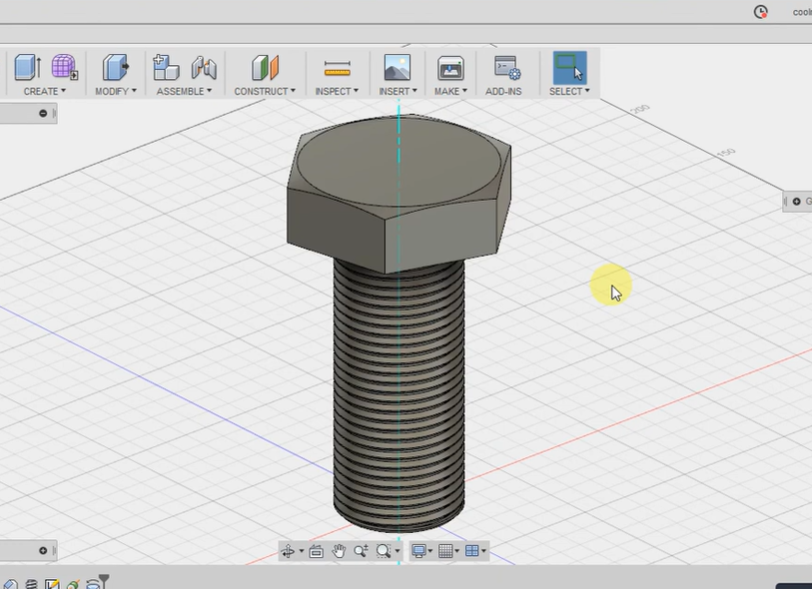
Learn 10+ Design Concepts in Fusion 360
Course type
Watch to learn anytime
Course duration
96 Min
Course start date & time
Access anytime
Language
English
Opportunities that awaits you!

Earn a course completion certificate
Add this credential to your LinkedIn profile, resume, or CV. Share it on social media and in your performance review
Course content
The course is readily available, allowing learners to start and complete it at their own pace.

Learn 10+ Design Concepts in Fusion 360
9 Lectures
96 min

Ice Cube Tray
Preview
13 min
Diamond
8 min
Pokeball
11 min
Funnel
4 min
Geometric planter
14 min
Painters Pyramid
8 min
Voronoi Vase
5 min
Calculator
22 min
Fidget Spinner
11 min
Why people choose EveryEng
Industry-aligned courses, expert training, hands-on learning, recognized certifications, and job opportunities—all in a flexible and supportive environment.
- Industry Veteran
- Trainer Review

Advanced Upstream
EveryEng helped me bridge the gap between academia and industry. Their practical training and job placement services enabled me to secure a well-paying job and start building a successful engineering career!!


BBC
EveryEng is the perfect platform for engineers at all stages of their careers. The courses are practical, engaging, and industry-relevant. You can learn so much and feel more confident professionally.


Halliburton
I had been looking for a reliable online platform for engineering courses, and EveryEng delivered beyond my expectations. The content is top-notch, the instructors are excellent, and the learning experience is seamless.


Lummus
I love how EveryEng makes complex engineering concepts easy to understand. The platform offers valuable insights, great mentors, and a supportive community. It's truly a one-stop solution for engineers worldwide.


SLB
I never imagined an online learning platform could be this effective! EveryEng’s courses are top-notch, the mentors are industry experts, and the skills my team gained have made a real difference in the performance!"

J Aatish Rao
Mechanical Engineering Professional
Questions and Answers

No questions yet - Be the first one to ask!
More from Same Author
- Technical Courses
- Articles


1113
E-Learning
Unlimited access
Beginner
E-Learning
Unlimited access
Pre-recorded videos

1226
E-Learning
Unlimited access
Beginner
E-Learning
Unlimited access
Pre-recorded videos
1400
E-Learning
Unlimited access
Beginner
E-Learning
Unlimited access
Pre-recorded videos
Earning and Growth option in same Industry Domain
- Pre-recorded
- Online live session
- Offline
- Articles

791
E-Learning
Unlimited access
Beginner
E-Learning
Unlimited access
Pre-recorded videos

927

1
E-Learning
Unlimited access
Beginner
E-Learning
Unlimited access
Pre-recorded videos


1717
E-Learning
Unlimited access
Beginner
E-Learning
Unlimited access
Pre-recorded videos

More Training & Development option to expand your reach
- Technical courses
- Soft-skills courses
- Seminars
- Articles & Blogs

1668
6
Online
Live courses

December 31

160 Hrs
Advanced
Online
Live courses
Interacting with trainer


646
Online
Live courses
February 21
30 Hrs
Advanced
Online
Live courses
Interacting with trainer
209
1
Online
Live courses
February 28
2 Hrs
Beginner
Online
Live courses
Interacting with trainer
